
Chương trình quản lý thời gian sử dụng máy tính
Đảm bảo con bạn sử dụng máy tính đúng thời gian cho phép.
Windows Screen Time Manager program
Ensure that your children use the computer only within the allowed time.
-
This program is a small Windows app, does not make your PC slow
-
An intuitive GUI designed for everyone.
-
This program is authorized by IROVI3D and is safe to use. It contains no harmful code.
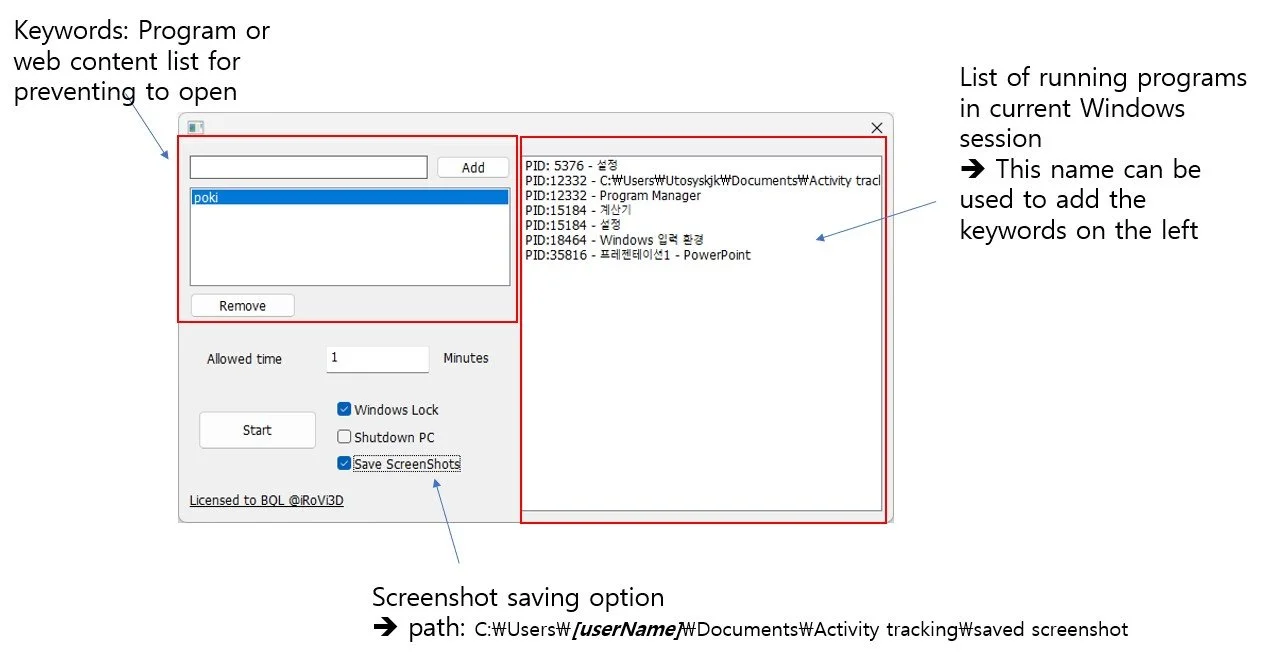
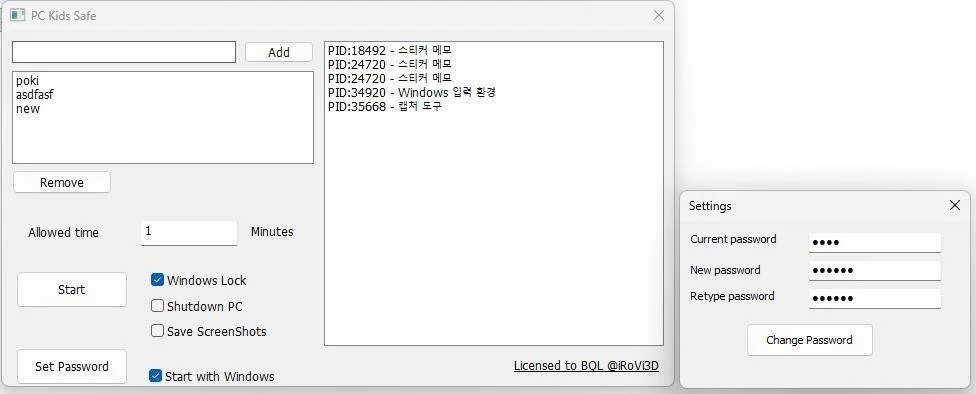
Mở chương trình và nhập số phút cho phép sử dụng, lựa chọn khóa Windows hay tắt máy tính sau khi hết thời gian, rồi click nút Start
Launch the program and set the amount of time your child is allowed to use the computer.
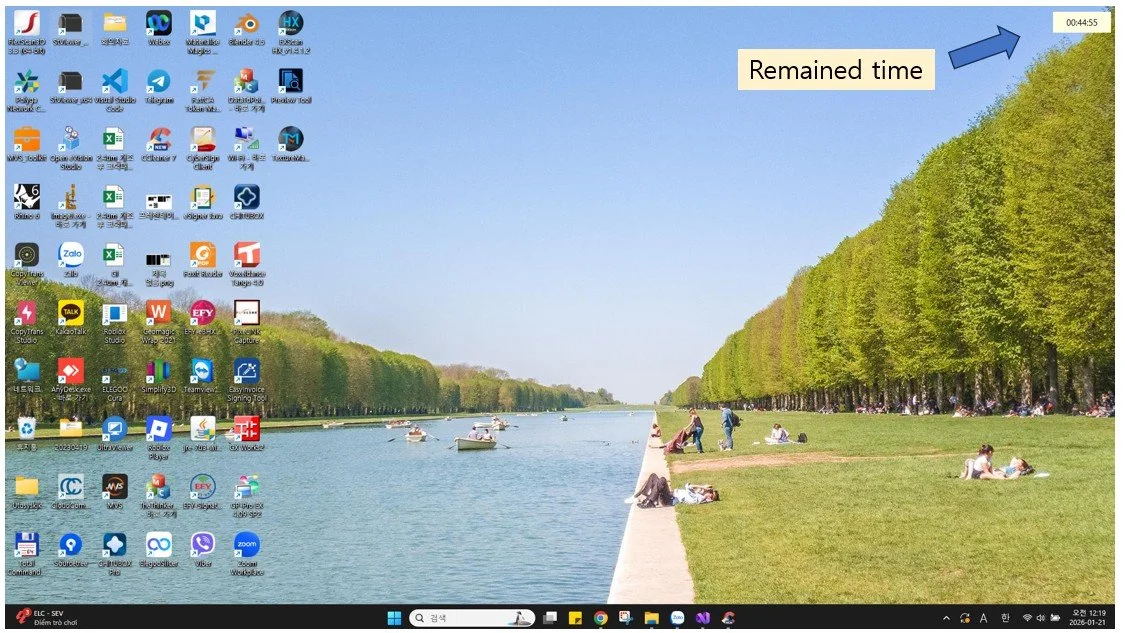
Sau khi click OK, chương trình sẽ chạy ngầm và thời gian đếm sẽ hiển thị ở góc trên bên phải của màn hình
Once you click OK, the program will run in the background and show the remaining time at the top-right corner of the screen.
Screenshots được lưu mỗi 10 giây 1 ảnh, chất lượng ảnh chỉ đủ để xem nội dung ở màn hình là gì, không đủ chất lượng để đọc chữ thường, tránh các thông tin chữ nhạy cảm.
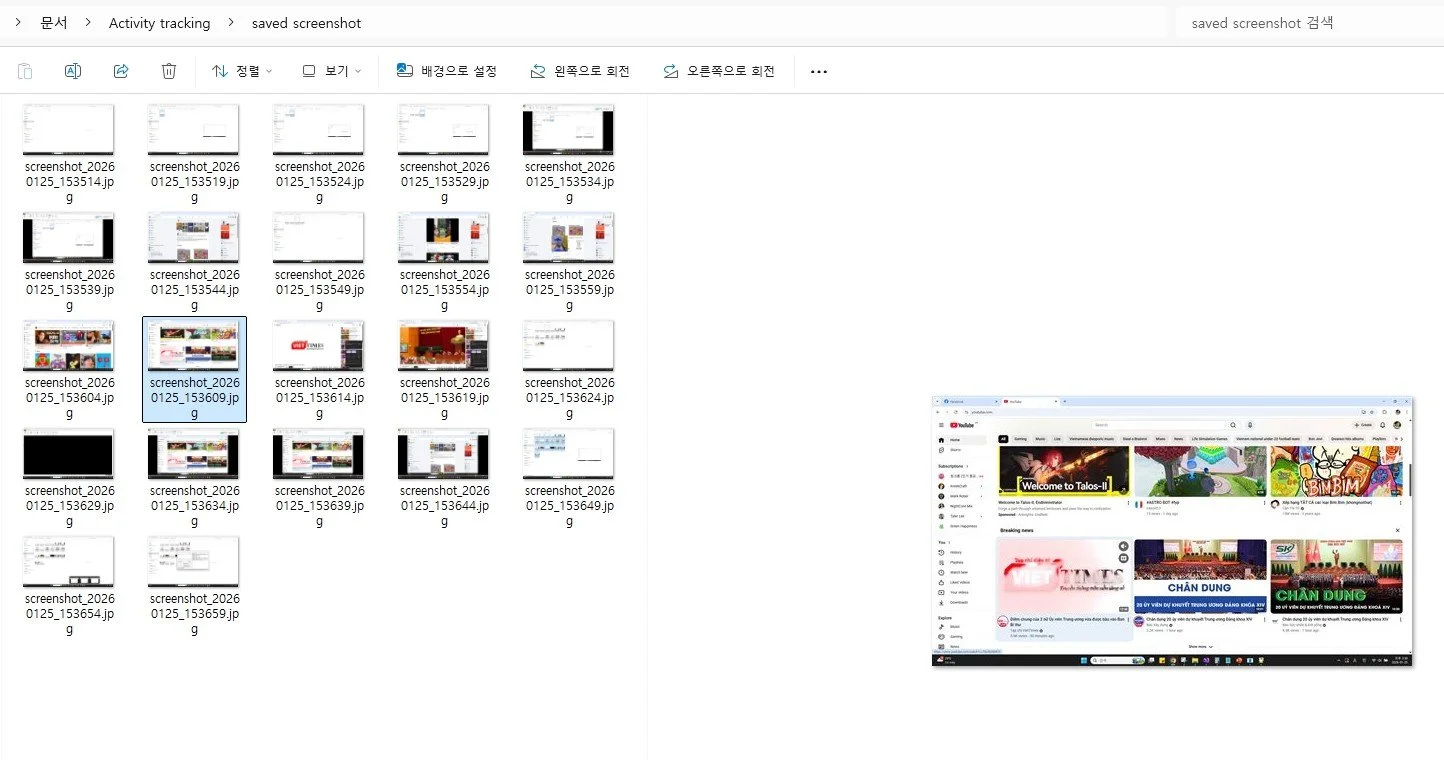
Screenshots are saved every 10 seconds. The image quality is only sufficient to see what is displayed on the screen, not high enough to read normal text, in order to avoid capturing sensitive textual information.
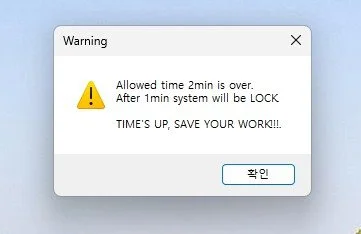
Sau khi hết thời gian cho phép, sẽ có thông báo để nhắc lưu các kết quả làm việc trước khi máy tính bị tắt hoặc khóa màn hình
When the allowed time is up, a confirmation message will pop up, allowing your child to save their work before Windows is locked.
Updates 2026.01.27
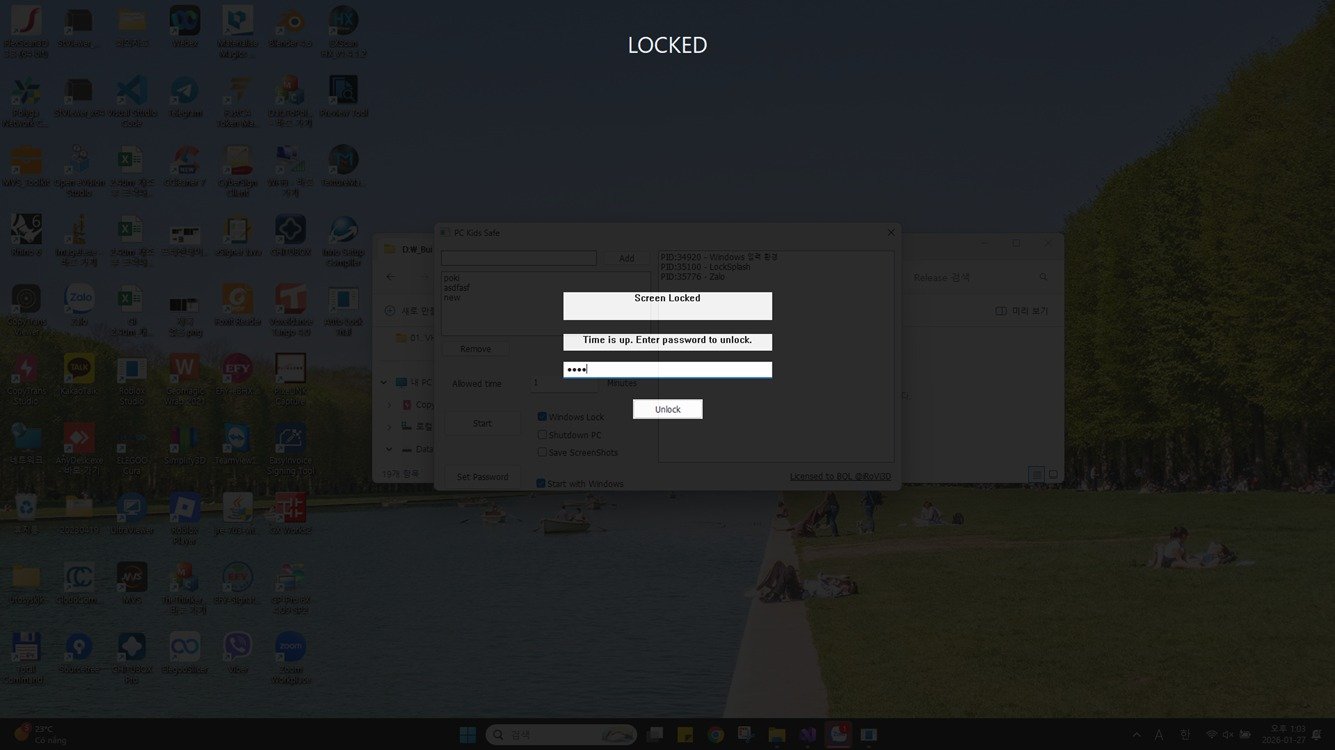
- Start with windows -> lock screen immediately after program starts
- Need to enter password to unlock
- Allow to change the password (default password: 1234)
Updates 2026.01.31
- Disable phím Window ở màn hình LOCK.
- Không cho phép đóng chương trình bằng click chuột phải lên icon và close
- Có mật khẩu khi uninstall chương trình, tránh trẻ tranh thủ uninstall chương trình trong lúc windows khởi động và đợi chương trình auto start và lock màn hình
- Disable Window key on lock screen.
- Disable close program by right click on program icon at taskbar
- Add password for uninstallation, avoid kids uninstall program
- Khởi động cùng windows -> lock luôn lúc khởi động chương trình.
- Lock màn hình không cho phép dùng, phải có mật khẩu mới mở được
- Cho phép thay đổi mật khẩu (mật khẩu mặc định 1234)
Updates 2026.02.25
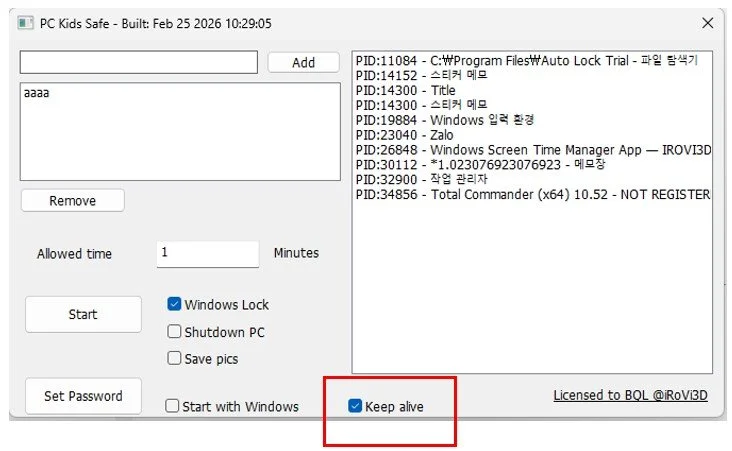
- Fix lỗi click nhanh với các máy tính chậm làm lag chương trình.
- Thêm option tự động bật lại chương trình khi bị tắt (kill process hoặc tắt vì lý do nào đó)
- Fix lag issue in slow computer
- Add option for auto start when program is closed (for any reasons)
Các yêu cầu đến email: irovi.scanner@gmail.com, hoặc zalo 0961-363-471
Development credits go to Dieu Beluga dieubq.stth@genesisschools.edu.vn
Inquiries send to email: irovi.scanner@gmail.com
Development credits go to Dieu Beluga dieubq.stth@genesisschools.edu.vn
Bản dùng thử
Bản dùng thử có thể download ở đây: Click (mật khẩu khóa mặc định: 1234)
Bản dùng thử giới hạn 100 lần chạy.
Trial version
Trial version can be download from here: Click (default lock password: 1234)
Trial version will limit 100 times of run.